SQL, Python, data visualization, web development, technical writing
Python: Flask and SQLAlchemy—DFDRL website
Various members of my family (only two of whom are children) participate in the Damon & Felix Die-Cast Racing League (DFDRL), where we construct tracks, keep statistics, and race Hot Wheels and Matchbox vehicles in events we participate in via Zoom sessions. Each member, in addition to managing their own racing team, has certain responsibilities to the league—I act as statistician and record keeper.
The DFDRL website presented here was built using Python's Flask web application framework, which I first taught myself to use not long after my introductory Python course had ended. The database was built and is queried using SQLAlchemy. HTML pages are rendered programmatically with the assistance of Jinja2. I used Bootstrap for CSS styling, along with some custom styles—the images below illustrate desktop and tablet viewports. The project was also a good exercise in JavaScript, especially on the "Vehicles" page. The aesthetics of the site were based on my original Google Sheets statistics pages. The site was deployed at PythonAnywhere.
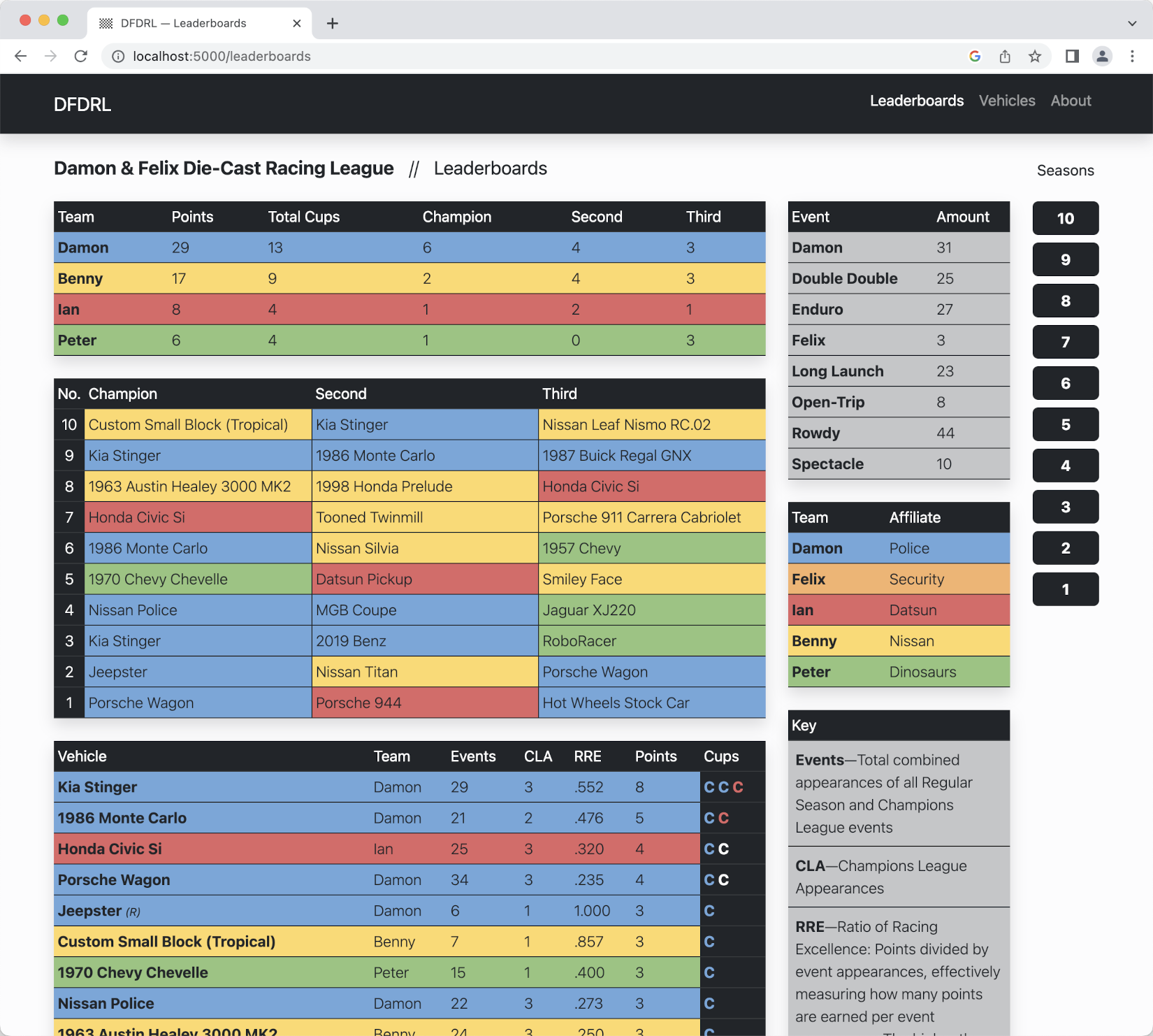
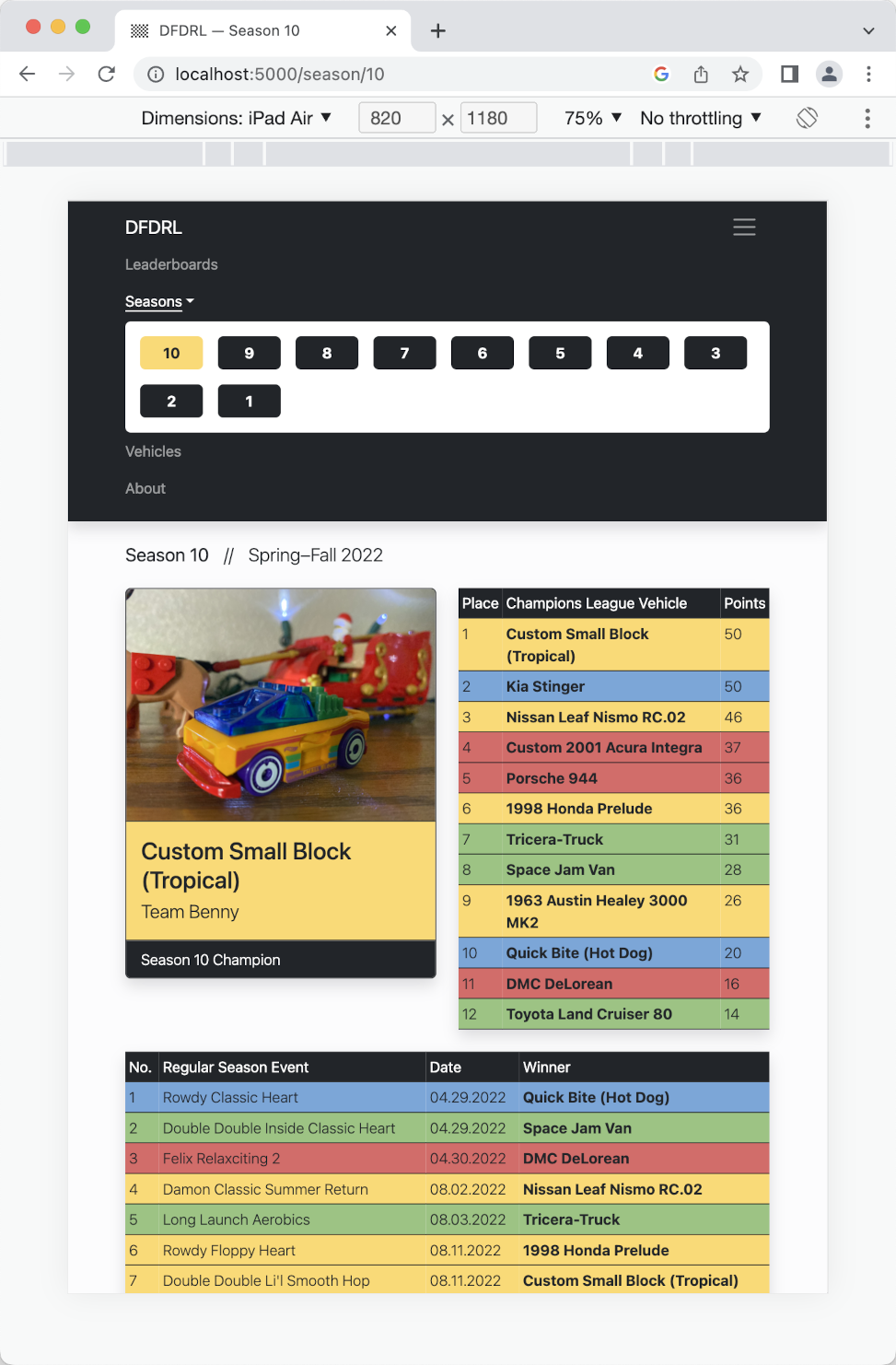
My GitHub repository for the site is structured in a way typical to Flask. I used Flask Blueprints as a way to expand the site at a later date—eventually I may add login capabilities for team managers to help them track their team. To help with finding code, I link above not only to the overall project repository, but below to specific files within the project. Special attention is given to my SQLALchemy code and database design.
SQLAlchemy and database design
There were, in essence, three steps I needed to take in order to implement the database for the site. The first was to create an entity relationship diagram:
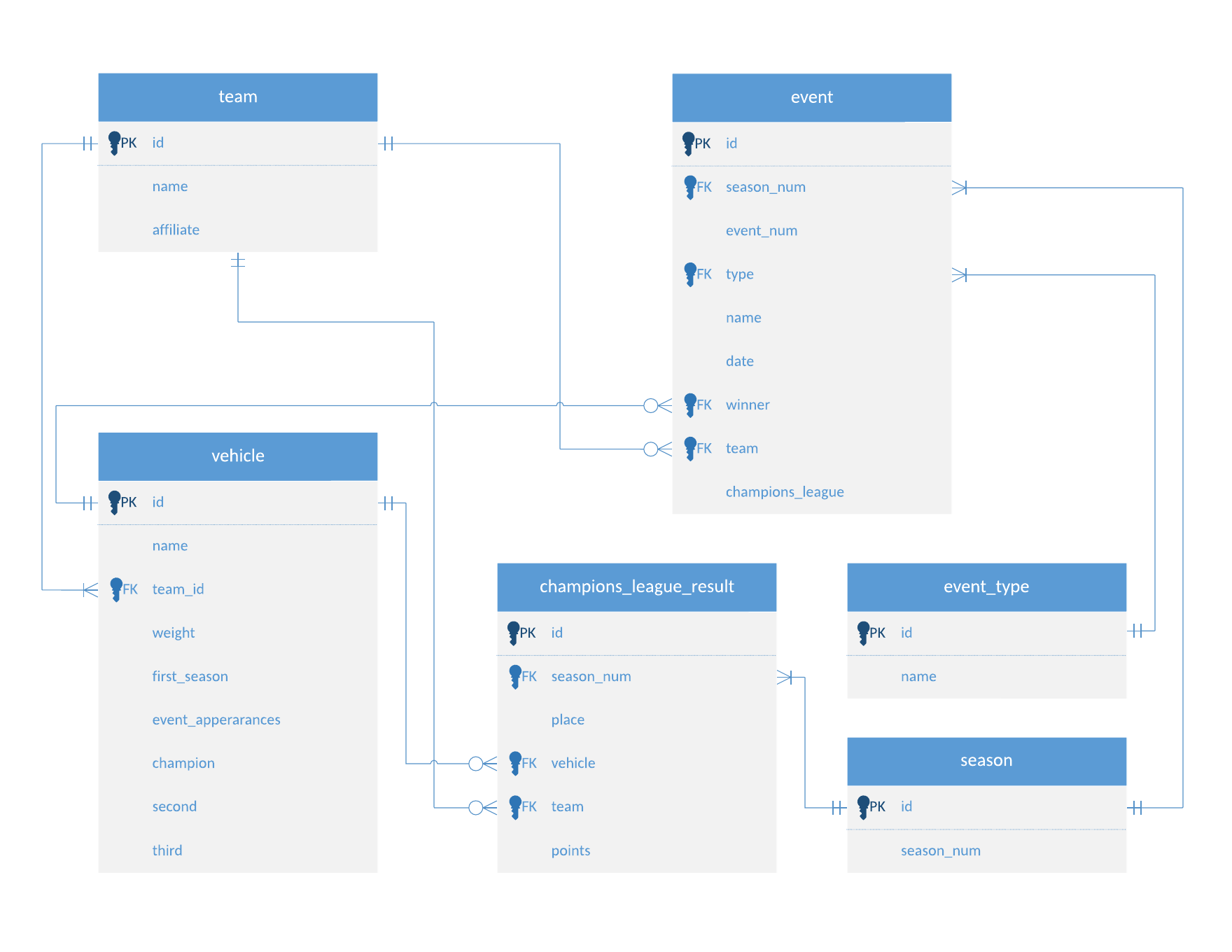
In Flask, I was then able to construct "models" using SQLAlchemy, which were used to create the database. Each class in the models.py code at my GitHub repository serves to create a table. Below, as an example, is the code I wrote in order to construct the "Team" and "Vehicle" tables. The foreign key relationship between a vehicle and its team is evident in the use of the relationship() function:
The code for all the models used for the project can be found here:
Finally, the "routes" within my Flask code contain queries to the database that fetch the data that I want to show in HTML tables. The query in the example below gets data that I need for the "Vehicles" page:
By using Jinja2, a table is then programmatically constructed in HTML. Data is called with reference to the column names established in the Vehicles model, as shown in the "models" code above:
The following code is one final example of SQLAlchemy used in my project. The DFDRL homepage contains multiple tables, each of which uses a different query. I separated these queries into separate functions, then called them from the homepage's routing function. One of these called functions is below. It contains a series of queries that fetch data that is used to populate the vehicle leaderboard at the homepage:
The code for all the routes used in the project can be found here:
JavaScript
I used JavaScript at the "Vehicles" page to allow the user to filter the data table. Users can view vehicles that belong to specific teams, can search for vehicles by name, can see which vehicles competed in which season, and more. CSS styles are also added via JavaScript based on which filters are used.
The code below is a function that shows or hides table rows based on text input supplied by the user. If a team is not selected in the "Select Team" drop box, then vehicles from all teams matching user input will be displayed. If the user selects a team in the drop box before entering a vehicle name, then only vehicles from that team will be displayed.
The function in the context of the entire script can be seen here: